
Chicago Chess Center
Tournaments
Registration guide for beginners!
Please note that all of our rated tournaments are organized through kingregistration.com.
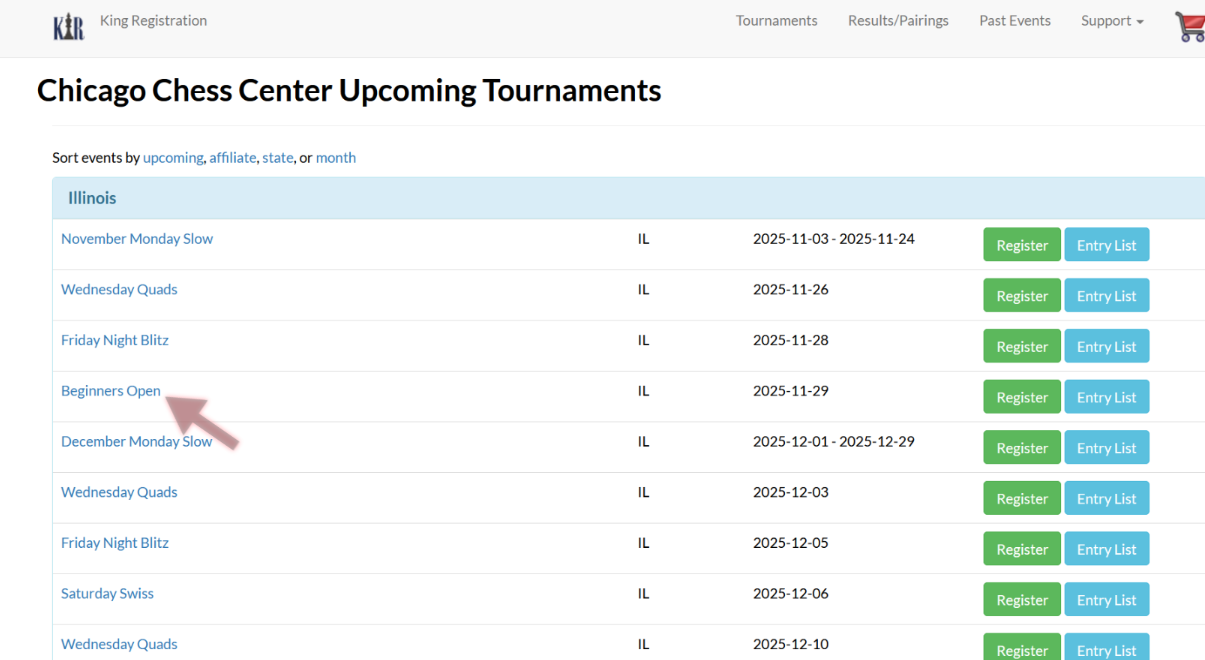
Once you have selected your desired tournament, proceed to the green “Register” button. This will bring you to the page displayed below. You can also click on the tournament itself (see red arrow) to view tournament details before registering. Be sure to have an up-to-date US Chess ID prior to registering!
Enter your information:
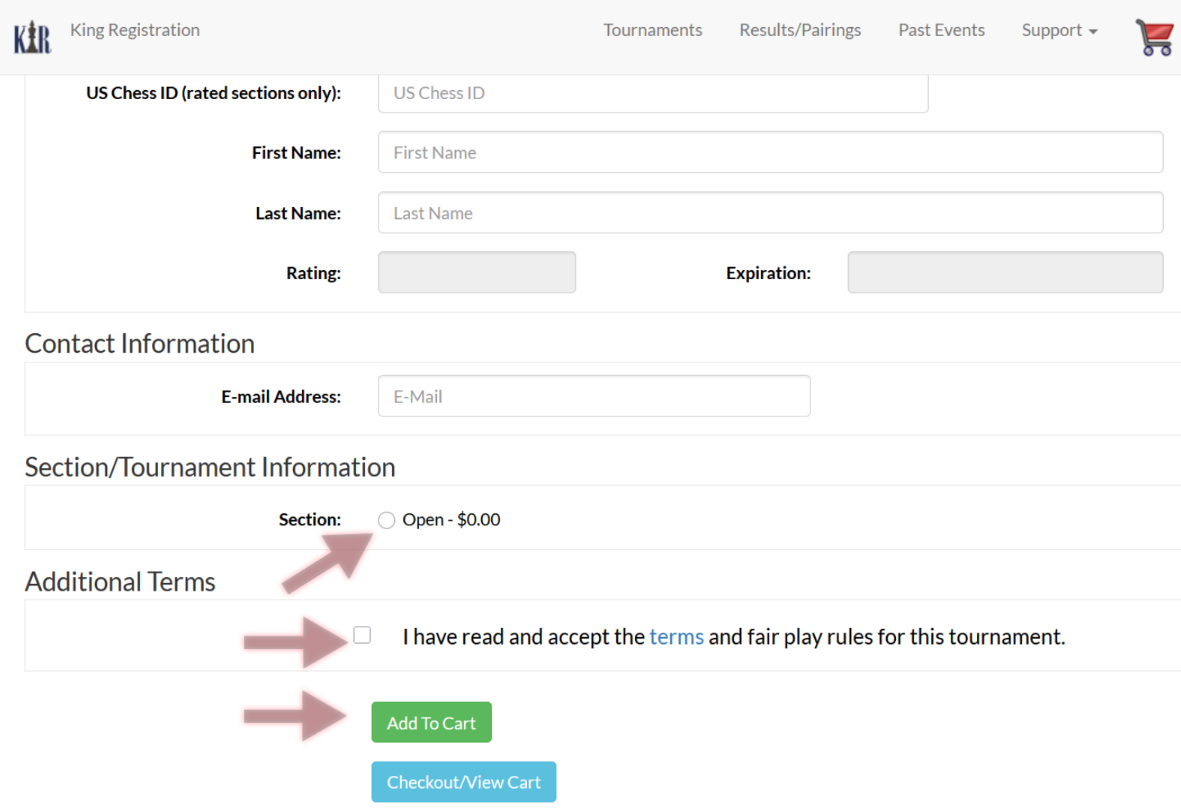
Be sure to double-check your US Chess ID, as this is the primary rating system in the United States. All new players (new US Chess members) will be classified as “unrated” until their 4th rated game, with a provisional rating until the 25th rated game.
Sections: Pairings are typically divided into 3 sections: U1000, U1600, and Open (1600+). This makes for a more fair matchmaking for all. You may request to play-up (play in a higher section than your assigned rating) in the “section’ portion of registration. If this option is not available for you, it may mean that your rating point difference is too high —typically >200 points is the maximum difference— to enter in your desired play-up section. If a tournament only allows you to register for the “Open” section, this means everyone plays in one section (or is sorted into quads as is for the Wednesday Quad tournaments, where groups of four are made to minimize rating differences).
Finalize and complete:
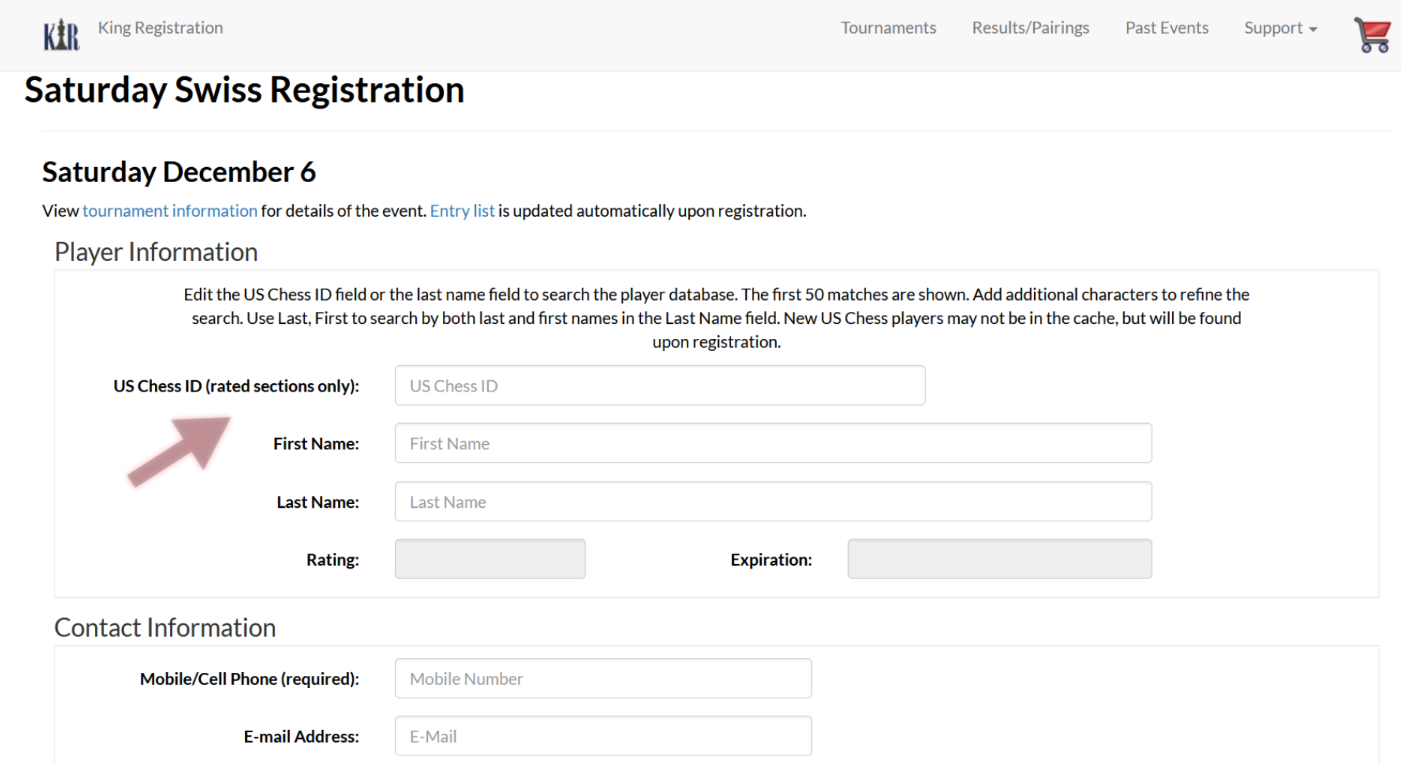
Be sure to select your “section” and read/accept the terms and fair play rules before completing your registration. Then click “Add To Cart” and proceed to checkout. You should be all set! Players who successfully register will receive an email regarding general rules and access to the tournament facility.
If there are any issues with your registration, they will appear in red. If you are unable to register, please email us at td@chichess.org.
See you soon!
Chicago Chess Center team